


AI, Skepticism, and eLearning

On November 30 of the year 2022, an American research organization introduced a generative AI chatbot called ChatGPT, that took a world slowly recovering from the aftermath of a raging pandemic by storm. This was followed by a variety of  AI-based tools that could perform multiple functions. From fetching and compiling information available on the internet to enabling the creation of artworks to writing programming code, these tools could perform a wide range of time and effort consuming tasks in a jiffy. It is further speculated that AI tools can also perform more complex functions like medical diagnoses or financial choices, and that were until now reserved exclusively for the discretion of human minds. 

The world enthusiastically welcomed AI-based applications and very soon we found them deployed in almost every aspect of our lives. We have been using these applications for a couple of years now and while their utility can certainly never be denied, the flipside has not gone unnoticed. These issues are important considering that they raise questions about the very ethics of using AI systems. 

Some crucial issues
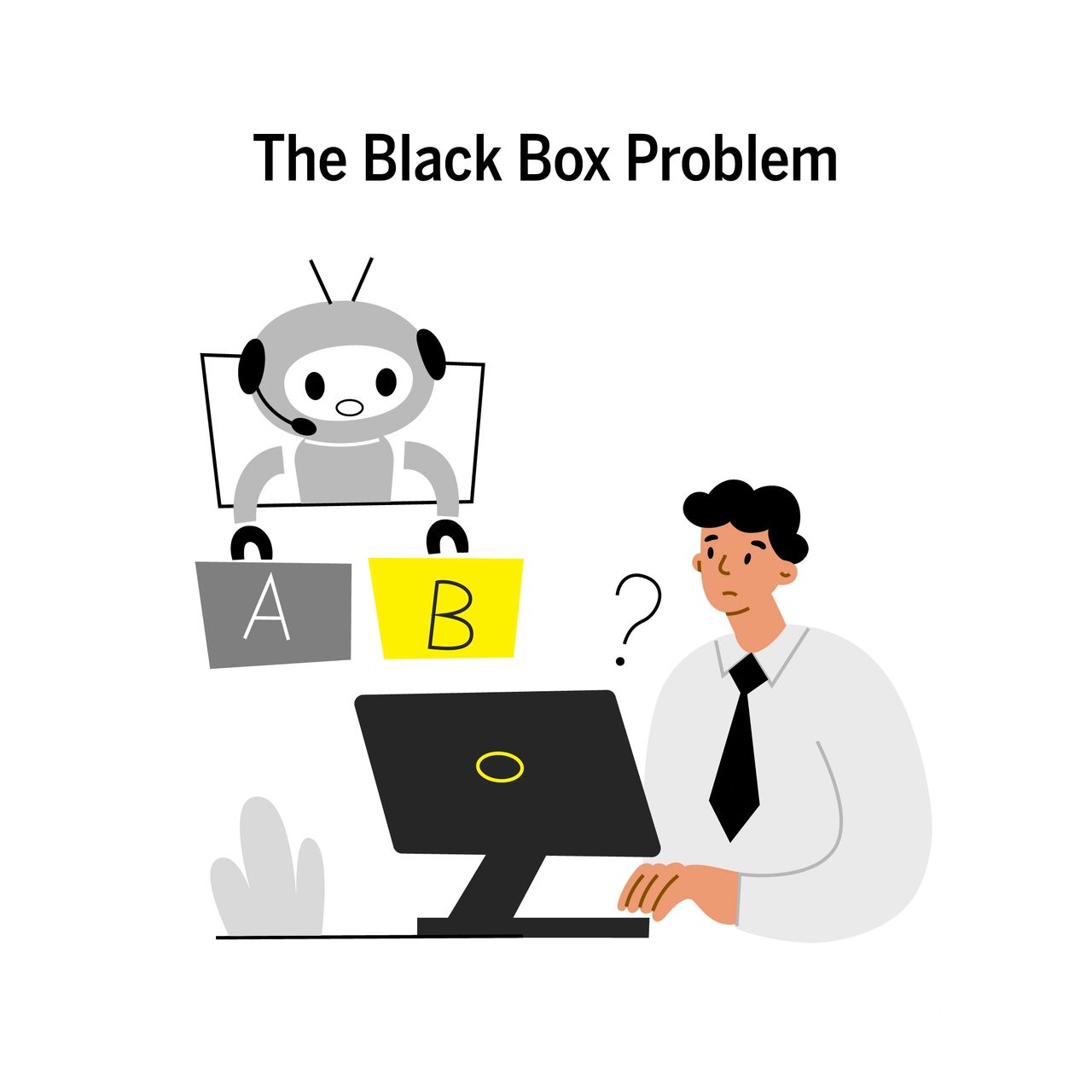
While we have already noted that AI can be used for decision-based tasks, the apprehension for such utilization stems from the fact that we know nothing about how an AI system arrives at the decisions and choices it makes. Experts have termed this as the “black box problem”. The black box problem makes it hard for us to calibrate such processes for more accurate results. More importantly, the responsibility and accountability for such important decisions is rendered questionable. 

We already know that AI systems are LLMs or large language models that use the information available on the internet to generate results for our queries. We also know that not everything on the internet is true. It is due to this fact that verifying the validity of the results generated by an AI system becomes vital. While some AI applications do provide sources from where the information was picked up, not all tools have adopted this practice yet.  

As the AI system scours the internet to retrieve the requested result, it is likely to encounter sources that propagate incorrect or even fake information. while compiling information from such sources, the AI system is likely to generate outdated, incorrect, and sometimes even nonsensical information. Such instances are termed as “hallucinations”.  

The dependency AI systems on content available on the internet has resulted in much debate about the intellectual property rights of the creators and owners of said content. The creators and owners have no control on the utilization of their content by AI systems, nor do they receive any kind of compensation for its utilization.  

The setup of AI systems consumes a significant amount of energy and generates a considerable amount of carbon emissions as well. It is predicted that as the use of AI widens, this energy consumption will skyrocket leading to a serious environmental impact.  

AI systems are young and so is the current user community. As time passes and the use of AI becomes more and more commonplace, we are likely to discover some more problems that were not previously visible or predictable. Consequently, the effect that these unknown issues will exert and their intensity also remains unknown.  
Let’s admit that the issues that we listed above are quite serious. However, any concerns you may have should go away once you know how we as eLearning creators utilize AI-based tools.  

Image and Graphics Editing

We utilize AI systems to edit images or other graphics such that they fit in with the overall design theme of the module.

Content Restructuring

While designing the structure of a learning module, we chalk out a content flow for the module that works best for maximum learning and retention. AI systems help us to reduce the time consumed by this task. Sometimes, the tools come up with structures that break away from traditional ideas of content restructuring, ergo bringing in a fresh perspective.

Language Checks

There is a variety of AI-based tools that offer live checking of spelling and grammar even as one is typing away in a document. These tools come with often come with options for choosing from a variety of languages and their variants as well.

Other Miscellaneous Applications

AI-based tools can also help in reducing the time and efforts required for more mundane tasks like extracting text from an image or extracting the script from a video. This makes the learning design and development process more efficient and clears up the users’ energy and schedule for more meaningful jobs.

Conclusion

So, you see that unless we use AI tools to compile learning content, it is unlikely that we will encounter any pitfalls of AI systems. But, we at Constellar Consulting prefer to do all the creative stuff ourselves and rely on AI systems only for improving the efficiency of the learning design and development process.

While your skeptical misgivings about AI systems are not completely unfounded, it is best to remember that we are free to choose the extent of AI intervention in our work and our lives as well. 

Connect with us at Constellar Consulting to know more about how your learning content can be converted into an engaging piece of eLearning with the help of AI-based tools!


THE ADOBE ENUMERATIVE

INTRODUCTION 

The Adobe repertoire is not new to an eLearning professional. Apart from Adobe Captivate, Adobe’s eLearning authoring tool, there are a host of other apps that eLearning developers employ to create a variety of learning products. We made a comprehensive list that includes the Adobe apps commonly used by eLearning developers. 

Let’s go through the by sorting the apps into categories based on their functions. 


GRAPHICS 

Vector vs Raster Files: While raster files are made of pixels adding much detail to an image (e.g., photographs), while vector files are created using mathematical equations to create an image (e.g., logos). 

ADOBE PHOTOSHOP

Adobe Photoshop, a raster graphics editor and definitely the most famous name on this list, for it has acquired synonymity with image editing. The initial versions of the application were available only on Macintosh. A Windows-compatible version was released in 1993 allowing Adobe Photoshop to gain wider popularity across the globe. A mobile version called Adobe Photoshop Express is also available for editing on handheld devices. While Adobe Photoshop offers a wide array of handy features, it is also comparatively expensive than the bevy of image editing apps that are currently available. Using the app also involves a fairly steep learning curve and may not be too effective for working on vector graphics. 

ADOBE LIGHTROOM

Adobe Lightroom is a non-destructive image editing tool. Unlike Adobe Photoshop, it saves the edited image separately and keeps the original image intact. It can also be used as an image organizer that allows users to create collections in their image directory. The tool’s features are not as plentiful as Photoshop, but the easy-to-use interface makes it a convenient tool that can be used for standard tasks. One of the limitations of the tool is that it cannot edit non-photographic images. 

ADOBE DIMENSION

Adobe Dimension is a photo-based mock-up editor for compositing and rendering photorealistic 3D images. However, to create these the tools required 2D or 3D images created externally to use as a base. The tool is useful for creating product designs, packaging designs or other images related to brand visualization.

ADOBE ILLUSTRATOR: Unlike the other tools in this section, Adobe Illustrator is meant for creating vector drawings that are scalable, as the name clearly states. This tool can be used to create graphics like logos, icons, infographics, or even digital illustrations. The tool offers a variety of brushes and other tools that may be used for creating illustrations and drawings. The later versions come with added support for three-dimensional figures. Adobe Illustrator continues to be.one of the popular and premier tools by Adobe and is a part of their Adobe Creative Suite. 


DOCUMENTS 

ADOBE ACROBAT

Adobe Acrobat is a tool designed to create, edit, and view files in the Portable Document Format or PDF. The editing of the PDF files is restricted though and very much unlike a regular word editor. The other products in the Adobe Acrobat family include applications like Adobe Distiller and Acrobat Reader. While Acrobat Reader is used to view PDF files, the Adobe Distiller is meant for converting documents from other formats into PDF versions. The full professional version of the Acrobat tool, called the Adobe Acrobat Pro, can be used to view, create, and manipulate PDF files.

ADOBE INDESIGN

Adobe InDesign was the first DTP application that provided support for Unicode character sets, advanced typography and transparency features, and cross-platform scripting with JavaScript. It is meant to be a desktop publishing and page layout designing application that allows for both print and digital publishing. It can be used to create posters, flyers, brochures, magazines, newspapers, presentations, books, and eBooks.  


WEB 

ADOBE ANIMATE

Adobe Animate is the official successor to the Adobe Flash Professional program. The application was renamed so that users do not associate it with the discontinued Adobe Flash Player and popularize its use for HTML5 and video content. It allows users to design vector graphics and some basic vector animation.

ADOBE XD

Adobe XD is used for creating user interfaces for mobile and web applications. Using this application, it is possible to creates animated prototypes that may be viewed on mobile devices too. Users can also use voice commands to create their designs. The application also includes a responsive resize feature that automatically adjusts designs for different screens. Despite all the features, a rival app – Sketch – remains the industry standard even if it is not available for Windows.

ADOBE DREAMWEAVER: The Adobe Dreamweaver application was originally developed by Macromedia in the year 1997. Adobe came to own it in 2005 after they acquired Macromedia. It enables web development even for those users who cannot write code. The application is quite complex to use and has many alternative applications available. 


VIDEOS 

ADOBE PREMIERE PRO

One of those apps on the list that is prominently used in the entertainment industry, Adobe Premiere Pro is a timeline-based, non-linear video editing software application. Its complex features also entail a complex learning curve. To simplify things for casual users, Adobe has released a lighter, mobile version of the application called Adobe Premiere Rush.

ADOBE PRESENTER VIDEO EXPRESS

Adobe Presenter Video Express was a screencasting and video editing application that was both cheaper and simpler to use compared to Adobe After Effects or Adobe Premiere Pro. It was a handy tool for recording videos without a green screen and it also enabled users to simultaneously record video from their webcam and screen. It provided users with preset backgrounds and also allowed them insert annotations or quizzes in their video content. The tool was discontinued in 2021 in favour of the Adobe Captivate application.

ADOBE MEDIA ENCODER

Adobe Media Encoder is an encoding engine for content created using the Adobe Premiere Pro, Adobe After Effects, Adobe Audition, and Adobe Character Animation. This application can export video and audio files in multiple formats and allows the user to stitch audio and video clips together.

ADOBE AFTER EFFECTS

Adobe After Effects is a popular tool in the entertainment industry typically used for post-production processes. It is not equipped for complete film editing or creation though. The tool is used for adding visual effects, motion graphics, and compositing and also includes some preset effects. Adobe After Effects is known for its easy compatibility with other Adobe apps. 


OTHER APPS 

ADOBE CAPTIVATE

Captivate is Adobe’s eLearning authoring tool and the successor to the Adobe Presenter Video Express. Adobe Captivate is a preferred tool for creating simulation-based trainings or screencasts. It enables the addition of quizzes and assessments to learning content and is compatible with SCORM. Another useful feature of the tool is its ability to convert PowerPoint files to the HTML5 format. 

ADOBE SPARK

Adobe Spark now goes by the name of Adobe Express. It is a free tool for beginners or casual users meant for creating social media content, brochures, presentations, and short informative videos.

eLearning or Traditional Learning?


Traditional learning, as the name suggests is the age-old method of classroom teaching where content is delivered to learners in live and in-person sessions. It continues to be the norm as far as the education of children is concerned. It offers an important advantage by providing young children ample opportunities to interact with their teachers and peers and allows teachers to simultaneously assess learner progress.

Adults too, learn better in classroom sessions. However, training adults in business organisations requires the trainings to be scalable as well as time- and cost-efficient. eLearning is both scalable and efficient in terms of time and cost. It also allows learners control over the learning pace which is vital when it comes to training adults. Clearly, eLearning seems to be the better choice for dispensing learning content in business organisations. Should we even consider classroom training when we can opt for eLearning?

CHOOSING A SUITABLE LEARNING METHOD

While eLearning may look like the most obvious option, it is not always the most appropriate one. Web-based trainings are not efficient for training learners on interpersonal skills. And though they may be cost-efficient, creating a web-based module for a small group of people within an organisation is not exactly budget-friendly.

A web-based training module is most suited for an organisation-wide compliance training. When it comes to onboarding new members within a team though, an instructor-led training offers a chance for new team members to not only understand the intricacies of their role within the team but also allows them to interact with their teammates in a safe environment.

IN CONCLUSION

Both eLearning and traditional learning come with their own pros and cons and remain relevant in their specific contexts. It is always advisable to choose a learning modality based on learning requirements. Remember that it is possible to avail the benefits of both these training methods (along with some other learning bits) in what is known as a blended learning experience. Learn more about blended learning here.