Mastering eLearning Design: 5 Key Practices for Success

Do you remember taking an online learning course that you really loved and remembered for a long time? It was likely created by Learning Experience (LX) or Instructional Designers (IDs) who infused it with the magic of eLearning design. Let’s learn more about some amazing design techniques for digitally enabled learning.

What is eLearning design?

eLearning design can be defined as the skill of creating engaging and effective learning experiences. It involves using technology to deliver educational content in a way that captivates learners, stimulates their curiosity, and facilitates their understanding. From interactive videos and quizzes to discussion forums and virtual classrooms, various tools and techniques are employed to make learning engaging and accessible. Whether it’s improving employee skills, enhancing student outcomes, or democratizing access to education, eLearning can transform employees and drivepositive change.

In this article, we’ll explore five key practices to master eLearning design, empowering you to create impactful learning experiences in the digital age.

5 key practices to master eLearning design:
Before you start creating an eLearning course, it’s crucial to set clear goals for what you want learners to accomplish. Think of it like setting a destination on a map before you start a journey. These goals or learning objectives should be specific, so that learners know exactly what they’re working towards. They should also be measurable, so you can track progress along the way. And most importantly, they should be achievable, encouraging learners to reach them. Also, by defining learning objectives upfront, you create a roadmap that guides the course design process and ensures that everything in the course is focused on helping learners succeed. 
Imagine trying to eat a giant sandwich in one bite – it’s just too much! Similarly, it is important for you to curate learning content such that the learners can consume it in bits and pieces. Bombarding learners with information can result in them having both a cognitive and sensory overload, especially in this day and age when social media has affected our attention spans and content retention. To avoid content overload, divide complex topics into smaller parts. Simplifying and relating concepts ensures that everyone, regardless of background or experience, can understand the content easily.
Imagine if you were trying to join a fun game, but the door was too narrow for you to fit through – that wouldn’t be fair, right? Well, it’s the same with eLearning courses. We need to make sure everyone, irrespective of their abilities (or the lack thereof) can join in and learn. So, how do we do that? We can ensure accessibility for all by providing clear text, captioning, descriptive visual elements, mouse-independent navigation, concise content, diverse content types, inclusive language and mindset, and compatible LMS features.
Incorporating interactivity into eLearning is essential for keeping learners engaged and facilitating effective learning. There are various ways to make courses interactive. Interactive quizzes allow learners to test their understanding through questions and answers and provide an interactive way to engage with the content. Interactive videos take this engagement further by enabling learners to click on elements or answer questions while watching, making the learning experience more immersive. Similarly, drag-and-drop activities encourage hands-on learning as learners manipulate objects on the screen. Simulations offer realistic scenarios for exploration and learning, while games introduce an element of fun and competition, keeping learners motivated and engaged. By incorporating these interactive elements, eLearning designers enhance comprehension and retention.
Once you’ve deployed your eLearning course, the job isn’t done. It’s essential to continually enhance the course based on valuable feedback. But where does this feedback come from? It’s crucial to gather insights from learners after the course launch. This can be achieved through various means, such as direct communication with learners to understand their experiences and preferences. Additionally, seeking input from instructors or subject matter experts can provide valuable perspectives on the course’s effectiveness. Analyzing course data, including learner engagement metrics and quiz performance, offers quantitative insights into areas for improvement. By using a combination of these methods, instructional designers can consistently refine the course to better meet the audience’s needs.

A final word

As you reflect on the practices discussed in this article, remember that you have the power to unlock a world of limitless learning potential. By applying these strategies, you’re not just creating courses, but crafting experiences that inspire, empower, and transform. Seize the opportunity to innovate, connect, and ignite curiosity in every learner.

At Constellar, we’re dedicated to pioneering eLearning designs and embracing new challenges. Our customized courses cater to diverse learners, ensuring impactful learning experiences. Reach out to us today for a personalized eLearning plan, and let’s elevate your learning initiatives.

Sources: 
Brain health consequences of digital technology use

The Transformative Influence of Storytelling in eLearning

Who doesn’t like stories? From childhood favorites that whisked us away to distant lands and enchanted forests to the narratives that echo through generations, storytelling is a universal language that transcends age and time. This ancient art can be a true game-changer in the world of digitally-enabled learning or eLearning.

Strategic advantages of storytelling in eLearning

Storytelling in e-learning is a potent technique that goes beyond the mere transfer of information; it immerses learners within narratives, creating emotional connections and significantly bolstering their ability to retain knowledge. Consider a biology module where the traditional approach involves presenting a list of scientific facts about ecosystems. Instead, an eLearning course might ingeniously weave these facts into a captivating story about an ecosystem grappling with challenges induced by climate change. This narrative approach seamlessly blends scientific concepts with storytelling, engaging learners in an enthralling journey and elucidating complex ideas like ecological balance in a vivid and relatable context.

The mnemonic impact of storytelling is a cornerstone of its efficacy in eLearning. Picture a cybersecurity training program using storytelling to illustrate real-life cyber-attack scenarios. Through the lens of a fictional character navigating potential cyber threats, learners absorb the information more effectively and develop a profound understanding of cybersecurity protocols and vulnerabilities. These narratives’ emotional investment and immersive nature heighten the retention and application of acquired knowledge.

Implementing storytelling in eLearning

Furthermore, storytelling in eLearning doesn’t merely inform; it actively engages learners by presenting decision-making scenarios. Imagine a business management course where an eLearning module simulates a scenario placing learners in the shoes of a CEO, navigating critical decisions during a crisis. This interactive narrative approach prompts learners to apply their knowledge, fostering critical thinking and honing problem-solving skills within a simulated real-world context. Learners are compelled to make choices, face consequences, and learn through experiential engagement.

This versatile tool seamlessly integrates into diverse instructional designs, catering to various fields of education. For example, interactive storytelling videos immerse learners in authentic conversations or cultural scenarios in language learning, facilitating language acquisition through contextual understanding. Likewise, simulations in healthcare education present medical case studies as compelling narratives, enabling students to bridge theoretical knowledge with practical patient care situations and enhancing their clinical decision-making skills.

Using scenarios, case studies, simulations, and interactive videos, eLearning storytelling creates immersive learning experiences that match predefined learning goals. This method ensures learners absorb, retain, and apply information effectively in real-world scenarios. The fusion of storytelling with eLearning transcends conventional teaching methods, enriching educational experiences by nurturing deeper comprehension, emotional engagement, and practical application of knowledge.

A final word

For those looking to harness the potential of storytelling in eLearning, Constellar Consulting stands as a beacon of expertise. With a deep understanding of instructional design and a mastery of storytelling techniques, we craft immersive and compelling learning experiences that resonate with learners. Feel free to connect with us today to begin an amazing L&D journey. 

All in all, storytelling in eLearning transcends conventional instructional methods, transforming learning into an immersive and captivating journey. The artful integration of narratives empowers learners, making educational pursuits a thrilling and memorable expedition.

If you are ready to elevate your eLearning initiatives with the transformative power of storytelling, contact us today to unlock the potential of narratives in your learning strategies. Discover how storytelling can redefine your educational odyssey.

5 Ways to Shape Employee Mindset and Improve Performance

Different learning strategies contributing to change in employees

Microlearning, once a passing fad is now practical learning approach. Supported by scientific studies, it caters short attention span with bite-sized information, making it ideal for task-specific learning needs. It aligns perfectly with our modern consumption habits for accessible and engaging learning. 


Video is a highly impactful medium with its versatility and effectiveness in learning, evident in the daily consumption from films to social media. Video-based learning offers highly interactive experiences and assessments, showcasing its evolving strengths as a learning tool. 


Gamification enhances engagement and can drive positive behavioral change in employees, even in compliance training. It transforms learning into a fun and purpose-driven experience. Employers seeking behavioral change find gamified courses highly effective due to their engaging nature and impact. 


Scenario-based learning engages learners by offering simulation-like experiences. It allows learners to practice real-world decisions without risks. Instant feedback enhances their problem-solving skills and prepares them for real-life application. Hence, it’s a valuable tool compliance and soft skills trainings.


Traditional learning involves one teacher instructing multiple learners in the same way. However, individuals learn differently based on their unique learning behaviors and preferred styles. Personalization strategies tailor learning paths to individual roles, locations, proficiencies, and interests, resulting in high-impact learning with relevant content for each learner.


A final word

As we’ve explored, various learning strategies are reshaping employee development, highlighting the need for effective and engaging training approaches. These strategies, from microlearning to personalization, offer practical ways to shape employee mindsets and improve performance. Technology-based learning, including web-based training and interactive videos, is at the forefront of this transformation. It engages learners’ cognitive processes, aligns with pedagogical methodologies, and enhances skill acquisition. This symbiotic relationship between technological innovation and cognitive advancement is redefining professional learning in the digital age.

Consider partnering with Constellar Consulting to implement these strategies effectively and drive impactful employee development. As a specialist in custom eLearning solutions, we offer tailored services to meet your Learning and Development (L&D) goals. Constellar provides the expertise needed to elevate your training initiatives from engaging video content to immersive scenario-based learning. Contact us today to start shaping a brighter future for your workforce.

Sources: 

Lifelong Learning and Technology | Pew Research Center

Driving Success through Diversity, Equity, and Inclusion (DEI)

Imagine a workplace where everyone feels valued, respected, and included, regardless of background, beliefs, or identity. That’s the vision behind Diversity, Equity, and Inclusion (DEI) culture—a vision more critical now than ever before.

But DEI isn’t just another buzzword for compliance and PR. Research increasingly shows its positive impact on profitability, earnings, and value creation. A 2017 McKinsey & Company study revealed that companies with highly diverse executive teams are 33% more likely to achieve higher profitability than their peers.1 Similarly, among the top-quartile companies worldwide, those with gender diversity at the executive level had a 21% higher chance of outperforming industry competitors in terms of Earnings before interest and taxes (EBIT) margin and a 27% higher chance in value creation.

In an organizational context, diversity signifies the presence of various and unique characteristics among employees, such as race, ethnicity, gender, age, religion, disability, sexual orientation, education, and national origin. Equity entails ensuring fair treatment, access, opportunity, and advancement for all individuals by identifying and removing barriers that hinder the full participation of certain groups. Inclusion involves creating an environment where everyone feels valued, respected and can contribute their best. These principles foster a culture of belonging, where every employee is valued and integral to the organization’s mission. Individual differences are seen as strengths that contribute to the organization’s success. 

Organizations implement several strategies to promote DEI. These include developing DEI-oriented leadership commitment, feedback and communication, and recruitment and hiring. However, one of the most crucial strategies is effective DEI training, which raises awareness about biases, promotes empathy and understanding and empowers individuals to challenge discrimination. Training is essential for creating a workplace culture that embraces diversity, ensures equity, promotes inclusion, and fosters a sense of belonging among all employees. Moreover, many countries have regulatory requirements, including the U.S., where federal contractors must conduct DEI training to uphold fair employment practices and prevent discrimination. 

You can take advantage of existing DEI training programs in your company to design practical training. If you are looking to enhance, update, or customize legacy content, you may wish to consult with a dependable Learning and Development (L&D) services provider who can understand your business and training needs and provide added expertise. Constellar Consulting is one such organization that can be your go-to for all your training requirements, especially related to DEI. Check out our portfolio to see the quality and coverage of our work.

At Constellar, we offer a range of specialized DEI training solutions tailored to meet your organization’s specific needs. Whether your L&D team wants to enhance existing content or needs a complete curriculum developed from scratch, we’ve got you covered. Our services include:

Customized online modules: Crafted to align with your organizational goals and culture, our e-learning modules focus on Diversity, Equity, Inclusion, and Belonging (DEIB). We can, for instance, design an inclusive leadership module to guide managers in fostering an inclusive team culture.

Interactive multimedia content: Engaging videos, infographics, and presentations vividly illustrate DEI concepts. For example, we can have an “Understanding Unconscious Bias” video series featuring diverse employees sharing their experiences.

Adaptive learning paths: Tailored to various organizational roles, these paths ensure targeted DEIB training. We can create a path for HR personnel on “Diverse Recruitment Strategies,” while managers can benefit from “Leading Inclusive Teams.”

Microlearning modules: Bite-sized modules deliver concise DEI content for quick access and understanding. For example, a mini-module on cultural sensitivity in global collaboration would be ideal for employees in international teams.

Case studies and simulations: Realistic scenarios and case studies foster critical thinking and problem-solving. For instance, a scenario on managing diversity conflict in project teams can provide practical insights.

Gamification: Incorporating game-like elements into DEI learning can significantly boost engagement. Employees can earn badges upon completing modules on diversity-related topics. These achievements can be showcased on the Learning Management System (LMS) and utilized as valuable data points for recognizing employee efforts and contributions.

Learning assessments and surveys: Assessments measure knowledge retention, while surveys gather feedback on DEI training effectiveness. For example, a pre-training assessment on “Understanding Diversity” and a post-training survey can provide valuable insights.

DEI learning design at Constellar: Our consultancy services assist in integrating DEI principles into existing training structures, ensuring a seamless transition and effective implementation.

Remember, if your L&D team needs additional content or content augmentation, Constellar will always curate and develop the content for you.

To wrap it up

At Constellar, we understand that true organizational success lies in cultivating an inclusive culture. Through our unwavering commitment to crafting tailored DEI training, we aim to educate and ignite transformation, paving the way toward a more equitable and welcoming workplace for all. Reach out to us today to embark on a fantastic learning journey together. 


Sources:

Delivering through diversity, January 18, 2018 | Report–McKinsey and Company

Microlearning: Designing Bite-Sized Lessons for Maximum Impact

Microlearning is one of the most exciting and effective instructional strategies employed for learning design. This approach creates small, bite-sized lessons or chunks of information, intending to maximize retention and engagement in learners. Microlearning gives you easily digestible information or knowledge through crisp and precise videos, quizzes, and interactive lessons spanning seconds to minutes.

In this article, let’s explore the benefits of microlearning and some design considerations for designing impactful compact learning modules.

Microlearning can be a smart learning approach as it helps in:

Enhanced retention: Microlearning uses the psychological principle of “spaced repetition,” whereby learners are exposed to the same information multiple times in a given period; this helps strengthen their memory. Also, the conciseness of microlessons makes it easier for learners to review and grasp content, increasing the chances of retention.

Engagement: Bite-sized lessons are designed to be engaging and interactive – games, puzzles, and multimedia features can be easily integrated to increase engagement. Microlearning’s short duration minimizes learner exhaustion by presenting content in manageable units, reducing the risk of overwhelming individuals with extensive information in one session.

Directed learning: Microlearning allows organizations to focus on specific learning needs or performance gaps. Learners can access the lesson content relevant to their immediate challenges, which results in more effective proficiency development.

Accessibility: Microlearning is accessible across various devices, allowing learners to engage effortlessly with the content. This flexibility facilitates self-paced and just-in-time learning.

Cost-effectiveness: Developing and delivering microlearning modules tends to be more cost-effective than traditional training methods, as it reduces the need for lengthy, resource-intensive training sessions.

To design impactful microlearning modules, it’s essential to follow some key design principles and best practices:

Defining clear objectives: Clear and direct learning objectives for each microlesson form the foundation of a robust microlearning module.

Using engaging multimedia: A microlearning lesson builds interest by integrating multimedia features such as videos, infographics, quizzes, and puzzles, catering to diverse learning styles.

Ensuring accessibility: A crucial aspect of microlearning involves ensuring easy accessibility and navigability across diverse devices.

Progressing structure: A well-structured learning path with a gradual increase in intricacy and complexity aids in retaining previously acquired knowledge. This progressive approach contributes to achieving a deeper understanding of the content.

Interacting elements: Creating the desired learning experience involves integrating interactive elements such as quizzes, puzzles, simulations, or prompts.

Applying practically: Microlessons are absorbed more effectively when linked to real-world scenarios, rendering the content more relevant and directly applicable to your learning experiences.

Despite its advantages, microlearning also presents specific challenges worth considering:

Limited depth: Microlearning’s brevity might limit the exploration of complex lessons, offering only a surface-level understanding.

Complexity challenges: Effectively communicating intricate or interconnected concepts can be challenging, rendering microlearning less suitable for in-depth topics.

To overcome these limitations, consider enhancing depth by adding relevant resources to the modules. Also, strategically organizingmodules can help better understand complex and interconnected concepts.

A final word

Microlearning isn’t a one-size-fits-all solution, yet its strategic design and implementation greatly improve your learning experience. Following design principles and using the benefits of bite-sized lessons create a well-structured, tailored approach to meeting individual needs. Including engaging multimedia and personalized experiences strengthens this compact, impactful learning journey, suggesting a responsive, dynamic future of education aligned with evolving learning demands.

If you’re looking for an external partner for eLearning solutions, we suggest you consider Constellar Consulting, a specialized content creator. Our expertise lies in creating customized, high-end videos and learning modules that perfectly align with your L&D goals and requirements. Reach out today to initiate collaboration and embark on a fabulous learning experience journey. 

THE ADOBE ENUMERATIVE

INTRODUCTION 

The Adobe repertoire is not new to an eLearning professional. Apart from Adobe Captivate, Adobe’s eLearning authoring tool, there are a host of other apps that eLearning developers employ to create a variety of learning products. We made a comprehensive list that includes the Adobe apps commonly used by eLearning developers. 

Let’s go through the by sorting the apps into categories based on their functions. 


GRAPHICS 

Vector vs Raster Files: While raster files are made of pixels adding much detail to an image (e.g., photographs), while vector files are created using mathematical equations to create an image (e.g., logos). 

ADOBE PHOTOSHOP

Adobe Photoshop, a raster graphics editor and definitely the most famous name on this list, for it has acquired synonymity with image editing. The initial versions of the application were available only on Macintosh. A Windows-compatible version was released in 1993 allowing Adobe Photoshop to gain wider popularity across the globe. A mobile version called Adobe Photoshop Express is also available for editing on handheld devices. While Adobe Photoshop offers a wide array of handy features, it is also comparatively expensive than the bevy of image editing apps that are currently available. Using the app also involves a fairly steep learning curve and may not be too effective for working on vector graphics. 

ADOBE LIGHTROOM

Adobe Lightroom is a non-destructive image editing tool. Unlike Adobe Photoshop, it saves the edited image separately and keeps the original image intact. It can also be used as an image organizer that allows users to create collections in their image directory. The tool’s features are not as plentiful as Photoshop, but the easy-to-use interface makes it a convenient tool that can be used for standard tasks. One of the limitations of the tool is that it cannot edit non-photographic images. 

ADOBE DIMENSION

Adobe Dimension is a photo-based mock-up editor for compositing and rendering photorealistic 3D images. However, to create these the tools required 2D or 3D images created externally to use as a base. The tool is useful for creating product designs, packaging designs or other images related to brand visualization.

ADOBE ILLUSTRATOR: Unlike the other tools in this section, Adobe Illustrator is meant for creating vector drawings that are scalable, as the name clearly states. This tool can be used to create graphics like logos, icons, infographics, or even digital illustrations. The tool offers a variety of brushes and other tools that may be used for creating illustrations and drawings. The later versions come with added support for three-dimensional figures. Adobe Illustrator continues to be.one of the popular and premier tools by Adobe and is a part of their Adobe Creative Suite. 


DOCUMENTS 

ADOBE ACROBAT

Adobe Acrobat is a tool designed to create, edit, and view files in the Portable Document Format or PDF. The editing of the PDF files is restricted though and very much unlike a regular word editor. The other products in the Adobe Acrobat family include applications like Adobe Distiller and Acrobat Reader. While Acrobat Reader is used to view PDF files, the Adobe Distiller is meant for converting documents from other formats into PDF versions. The full professional version of the Acrobat tool, called the Adobe Acrobat Pro, can be used to view, create, and manipulate PDF files.

ADOBE INDESIGN

Adobe InDesign was the first DTP application that provided support for Unicode character sets, advanced typography and transparency features, and cross-platform scripting with JavaScript. It is meant to be a desktop publishing and page layout designing application that allows for both print and digital publishing. It can be used to create posters, flyers, brochures, magazines, newspapers, presentations, books, and eBooks.  


WEB 

ADOBE ANIMATE

Adobe Animate is the official successor to the Adobe Flash Professional program. The application was renamed so that users do not associate it with the discontinued Adobe Flash Player and popularize its use for HTML5 and video content. It allows users to design vector graphics and some basic vector animation.

ADOBE XD

Adobe XD is used for creating user interfaces for mobile and web applications. Using this application, it is possible to creates animated prototypes that may be viewed on mobile devices too. Users can also use voice commands to create their designs. The application also includes a responsive resize feature that automatically adjusts designs for different screens. Despite all the features, a rival app – Sketch – remains the industry standard even if it is not available for Windows.

ADOBE DREAMWEAVER: The Adobe Dreamweaver application was originally developed by Macromedia in the year 1997. Adobe came to own it in 2005 after they acquired Macromedia. It enables web development even for those users who cannot write code. The application is quite complex to use and has many alternative applications available. 


VIDEOS 

ADOBE PREMIERE PRO

One of those apps on the list that is prominently used in the entertainment industry, Adobe Premiere Pro is a timeline-based, non-linear video editing software application. Its complex features also entail a complex learning curve. To simplify things for casual users, Adobe has released a lighter, mobile version of the application called Adobe Premiere Rush.

ADOBE PRESENTER VIDEO EXPRESS

Adobe Presenter Video Express was a screencasting and video editing application that was both cheaper and simpler to use compared to Adobe After Effects or Adobe Premiere Pro. It was a handy tool for recording videos without a green screen and it also enabled users to simultaneously record video from their webcam and screen. It provided users with preset backgrounds and also allowed them insert annotations or quizzes in their video content. The tool was discontinued in 2021 in favour of the Adobe Captivate application.

ADOBE MEDIA ENCODER

Adobe Media Encoder is an encoding engine for content created using the Adobe Premiere Pro, Adobe After Effects, Adobe Audition, and Adobe Character Animation. This application can export video and audio files in multiple formats and allows the user to stitch audio and video clips together.

ADOBE AFTER EFFECTS

Adobe After Effects is a popular tool in the entertainment industry typically used for post-production processes. It is not equipped for complete film editing or creation though. The tool is used for adding visual effects, motion graphics, and compositing and also includes some preset effects. Adobe After Effects is known for its easy compatibility with other Adobe apps. 


OTHER APPS 

ADOBE CAPTIVATE

Captivate is Adobe’s eLearning authoring tool and the successor to the Adobe Presenter Video Express. Adobe Captivate is a preferred tool for creating simulation-based trainings or screencasts. It enables the addition of quizzes and assessments to learning content and is compatible with SCORM. Another useful feature of the tool is its ability to convert PowerPoint files to the HTML5 format. 

ADOBE SPARK

Adobe Spark now goes by the name of Adobe Express. It is a free tool for beginners or casual users meant for creating social media content, brochures, presentations, and short informative videos.

7 Amazing Graphic Types You Can Leverage for Video Creation

In video-based learning, using graphical elements strategically is vital to engage learners and ensure effective training. Choosing the right visuals involves making thoughtful decisions with technical expertise. 

But how do you do that? You could start by exploring different graphic styles and their ideal uses. In this article, we’ll explore seven amazing graphics types you can use to create videos. Here we go: 

3D Animation 

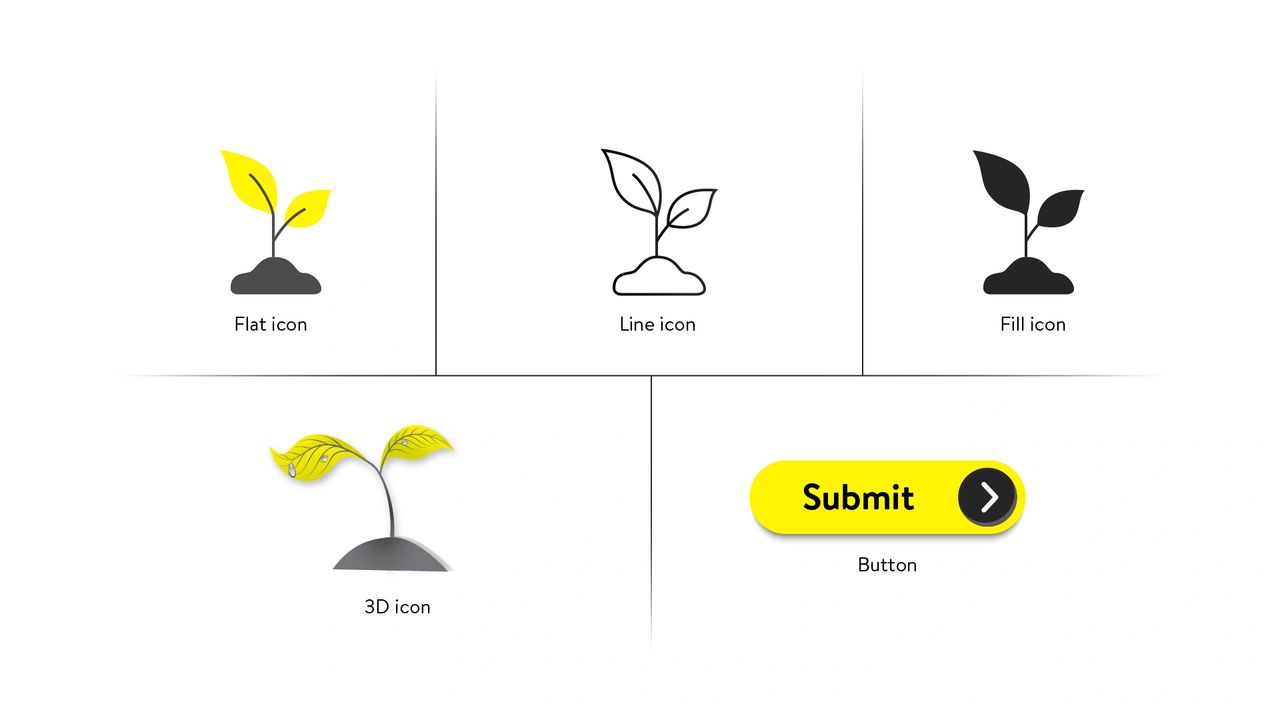
3D animation takes you on immersive journeys through realistic environments and objects. It’s the go-to choice for subjects that demand a deep understanding of spatial relationships, such as engineering, architecture, and medical training. Leveraging principles of 3D modeling, texturing, rigging, and animation, this style draws from the real world to create engaging experiences. Crafting 3D animations requires specialized software like Autodesk Maya or Blender, with interactive elements often built using WebGL (Web Graphics Library) or Unity for online platforms. 

Line Art 

Line art simplifies complex ideas using clean lines and shapes, especially in fields like math, architecture, and engineering. It’s great for diagrams and can be produced using software like Adobe Illustrator or Inkscape. With vector-based tools and CAD (computer-aided design), modern digital line art can give you high-quality, precise, and scalable visuals.

Still pictures High-quality still pictures can evoke emotions, illustrate historical events, and make content relatable. Advancing digital photography tools and techniques are contributing to their widespread use. Stock image platforms like Adobe Stock, Shutterstock, iStock, Pexels, and Unsplash provide thousands of still pictures. 

Vectors Vector images often manifest as icons, buttons, infographics, and design elements, ensuring a consistent, sharp visual experience. Vector graphics are pictures that leverage mathematical principles, providing perfect scalability, precise details, and efficient storage. Tools like Adobe Illustrator and sites like Flaticon, Freepik, and Iconfinder make creating and finding these images easy. 

Illustrations Custom illustrations, like unique strokes of artistry, captivate your attention while conveying complex ideas. These handcrafted visuals are often used in storytelling and courses aimed at younger audiences. Created by professional artists using tools like Adobe Illustrator, Adobe Photoshop, or Procreate, custom illustrations integrate seamlessly into your eLearning platform. 

Infographics Infographics condense data and concepts and provide information in a way that’s easy to use and relate to. Developed with a focus on effective data communication and visual hierarchy, they draw from principles of information design and data visualization. Tools like Adobe Illustrator and Canva help create infographics. 

Interactive Simulations Interactive simulations encourage critical thinking and are great for practical subjects. They draw from principles of experiential learning and constructivism and engage you in decision-making. Platforms like Unity and HTML5 make it easy to create them. Apart from the above-mentioned graphic types, you could use video snippets as needed. Look up stock videos, just like stock photos, or create small videos using Adobe After Effects and similar tools.  


To wrap it up 

Using 3D animation, line art, pictures, vectors, illustrations, infographics, and interactive simulations are different ways to make great eLearning videos. However, it’s essential to choose these graphics carefully. They should match the visual style, guidelines, learning goals, audience, and topic. Also, consider the budget, time, skills, and tools available for development.

If you need an external eLearning services provider for video creation, we suggest you consider a specialist custom content creator like Constellar. At Constellar, we specialize in crafting custom, high-quality videos and other materials tailored to meet your Learning and Development (L&D) goals. Get in touch with us today to start working together for a fantastic learning experience. 

References 

  1. Unlocking The Magic: The Transformative Power Of Visuals In The Learning Process 
  2. The 5 e-Learning Video Animation Styles 

9 Technology-Enabled Learning Modalities You Should Be Aware of

You’ve done your homework – internal business and training needs analysis – and now the big question: How to address the training need and achieve the L&D business objective? You know that training can be offered to employees entirely in-person (in a physical set-up) or partially or completely online (enabled by technology). You are quite sure you want to leverage the power of technology for your training needs and are familiar with some of the terminology and dynamics. Also, you know that each type of offering has its pros and cons. So, which one do you choose? Maybe you reach out to a trusted L&D consultant and services provider for help … 

… this upcoming one-stop destination for all your training and development needs listens to you and understands your problem … 

… and coming to us …
 

… as part of our consulting strategy, let’s dive deeper and review the common technology-enabled learning modalities. We hope this analysis helps you make an informed business decision. Here we go! 

1. Basic eLearning 

This modality involves bare-minimum learner interaction and follows a basic visual and functional design. It tends to be driven by on-screen text (OST); audio, if provided, may be machine-generated, secondary, and/or verbatim with the OST. Imagery may be skipped altogether, utilize run-of-the-mill stock imagery, or use visual assets by the Subject Matter Expert “as-is”. Knowledge checks, if included, comprise single-select multiple-choice questions (MCQs) interspersed in the courseware. Max, a simple assessment may be provided at the end of the topic.

Though stereotyped as “monotonous page-turners” or “PPT-ish”, basic eLearning, if designed smartly, can be effective in creating subject awareness. Importantly, this modality is easy to design and can be delivered relatively quickly. In other words, it is a budget-effective learning solution that can give a good Return on Investment (ROI), especially if backed up by solid offline learning/peer support. 

2. Advanced eLearning 

This delivery type involves greater learner interaction (possible interactivities could include dragging-and-dropping visual elements or even scribbling) and often features customized visual and functional design. It is primarily driven by audio and commonly utilizes professional voiceover, sound effects, and (if need be) music as well. OST is meant to support voiceover audio and is used strategically and concisely. Imagery can consist of stock images or assets provided by the SME, but image editing is often included for value addition. Knowledge checks and assessments/quizzes can be more complex and allow the system to assess higher levels of learning. 

Advanced eLearning is more than just a sophisticated form of basic eLearning. For example, learners can be challenged on their problem-solving, decision-making, and on-the-job skills by presenting scenarios, stories, or software simulations related to their field of work (the subject of training). This makes eLearning a great choice for moderate L&D budgets for honing your employees’ personal and professional skills. 

3. Gamified eLearning 

“All work and no play makes Jack a dull boy (or in our case, an unproductive employee)!” Research increasingly suggests that learning is much more effective when combined with fun activities, such as those offered by games.1 Accordingly, eLearning vendors are leveraging employees #love for learning by offering gamified eLearning solutions. These solutions are realized by incorporating common game elements that include the game storyline or context, rules and consequences, characters/avatars, points, badges, levels, hints, and so on, all centered around the subject of training. Constellar Consulting seeks to address learner engagement by offering gamified eLearning solutions that are rich in visual and functional experience, mirror real-world job scenarios, and are learner-friendly.  

Based on your requirements, a stellar L&D consultant/services provider might offer you either a partially gamified or game-based eLearning solution. The difference is that while gamified experiences utilize some game elements (such as gamified quizzes), game-based experiences are oriented around an actual game (the level/method of gamification, of course, depends on the learning need, content type, and learning requirement). Gamified eLearning solutions typically involve full customization and might involve multiple iterations before final delivery. This makes it a more expensive option – but again, let’s remember that it is one of the most effective ones around, especially for teaching practical skills, decision-making, problem-solving, etc. 

4. Interactive PDFs or iPDFs Interactive PDFs (or iPDFs) leverage the best of both worlds – the universal accessibility of PDFs, along with interactive elements such as buttons, hyperlinks, embedded audio or video files, drop-downs, checkboxes, etc. iPDFs are designed in a visually appealing way as part of value-addition. iPDFs provide a ready reference to learners and are a great option for presenting secondary learning content (for example, Do’s and Don’ts) in an engaging way, especially if the primary content is presented as eLearning. 

5. Learning video “Animation can explain whatever the mind of man can conceive. This facility makes it the most versatile and explicit means of communication yet devised for quick mass appreciation.” ― Walt Disney There simply is no denying that videos are an excellent means to grab the audience’s attention. If well-designed, your learners will love them. Period! 

Learning videos feature either photographic or illustrated images (caricatures), often accompanied by supporting computer-generated motion graphics and typographic text. Sound effects and music may supplement the voiceover audio for an impressive learning experience. 

As they need specialized image and video-editing tools, learning videos tend to be costlier compared to an equivalent duration of eLearning, but less costly than gamified solutions. If you have a reasonably big (medium) L&D budget), videos are the way to go! 

6. Learning infographics 

Infographics condense critical information and present facts and figures in a visually appealing and organized way. They can be printed and offered as ready-reckoner handouts or quick-fix learning aids for additional learning. Learning infographics go well along with other training modalities, such as advanced or gamified eLearning or even VILTs or blended training, and are a great low-cost option. Your eLearning vendor may even provide complimentary learning infographics along with their main offering. 

7. Virtual Instructor-Led Training (VILT) 

With many organizations adopting a hybrid work model, the need for VILT or webinar has risen. This is typically conducted via conferencing/group calling software such as MS Teams or Zoom. VILT often includes activities that increase engagement: icebreakers, games, audio and videos, polls, breakout rooms, surveys, infographics, discussions, QA sessions, quizzes, downloadable handouts (refer to iPDFs and Learning infographic sections), and so on… This is a good group medium-to-high-budget training option for your remote workforce as it enables synchronous training, allows you to monitor and mentor learners in real-time, and encourages them to collaborate for problem-solving, design thinking, and other training needs. 

8. Learning apps These days learning apps are commonly being used for learning as an easily accessible option for on-the-go learning. You might be familiar with Duolingo, a famous app that helps people learn a new language. This modality can connect with Millennials, facilitates course completion, and is good for in-built performance support. Through their dynamic learning experience, learning apps are an effective training modality. It is however to be noted that as they involve custom development, the budgetary requirements tend to be on the higher side. 

9. Augmented Reality (AR)/Virtual Reality (VR) 

You might be familiar with Augmented Reality (AR)/Virtual Reality (VR) and their increasing business use cases. Goes without saying, that they are an upcoming learning modality too. AR and VR offer a much greater degree of user immersion and are great for teaching learners practical skills (and those who prefer tactile/kinesthetic learning) such as working with objects or stimulating challenging scenarios such as dousing a fire or performing surgery. As AR and VR take the experience to the next level – they are a fabulous option if you are looking to offer your learners something unique. One must, however, be mindful that developing this training requires special expertise, along with specialized tools for development and end-use. Needless to say, they require a huge budget, which explains its low adoption rate as of today. However, with advancing technology, one can say that AR and VR could be the future of corporate training. 

Conclusion: Hope this will help you make up your mind and go with the most suitable learning modality. As always, Constellar is your one-stop destination for all training and development-related needs. Feel free to reach out and book an appointment to view samples of our top-notch L&D consulting and services. 

References: 

1. Integrating gamification and instructional design to enhance the usability of online learning
 

Leverage User Experience Principles in Learning Experience Design

As someone associated with Learning and Development, you would be aware of the term ‘Instructional Design.’ You might have noticed that recently the terms Learning Experience (LX) and LX Design are being used increasingly.  
 
A learning experience (LX) refers to ‘the entire experience in which a learner acquires knowledge, skills, or competencies through engagement, reflection, and interaction within a specific context.’ As more and more learning goes digital and considering that corporate training is closely tied to the principles of adult learning or andragogy, the field of LX has become very important recently.
 
A good learning experience involves clear objectives, engagement, relevant content, and active learning opportunities. It should also provide feedback, be accessible, and cater to diverse learning styles and preferences.
 
But did you know this thing? LX is closely related to the much more popular field of User Experience (UX).
 
Learning experience design (LXD) and user experience design (UXD) share common principles of user-centered design, focusing on creating engaging and effective experiences. LXD specifically applies these principles to education and training contexts, aiming to optimize how learners interact with educational content and technologies to achieve desired learning outcomes.
 
Applying UX principles to your learning solutions enhances the LX and ensures the success of the training program. 

1. User-centricity 

The first principle of user experience is that it is user-centric. It ensures that designs meet user needs, enhancing satisfaction, usability, and the success and adoption of products or services.
 
To apply this principle in LX, you need to ensure your design optimizes engagement, knowledge retention, and skill acquisition, and is always oriented towards effective and enjoyable learning outcomes. 

2. Consistency 

Consistency in design ensures predictability, reduces confusion, and enhances familiarity for users, whether in UX or learning. It fosters a seamless, efficient, and effective experience, improving usability and learning outcomes. 

3. Hierarchy 

Hierarchy in design guides users’ attention, aiding comprehension, and navigation. In UX, it streamlines interactions; in learning, it organizes content for effective understanding, facilitating meaningful educational experiences. 

4. Context 

Context is crucial in design, as it tailors experiences to users’ needs. In UX, it ensures relevance; in learning, it aligns content with learners’ goals, enhancing engagement and comprehension.  
 
Make sure that the content, knowledge checks, and interactivities all align with the course objectives. 

5. User control 

User control empowers individuals to personalize their experiences, fostering engagement and ownership. In UX, it enhances usability; in learning, it promotes autonomy, enabling learners to tailor their educational journey for better outcomes.
 
Proper interactions. Avoid unnecessary clicks – learners should have an element of control. 

6. Accessibility 

Accessibility ensures inclusivity, accommodating users with diverse needs and abilities. In UX, it broadens reach and enhances usability.  
 
In learning, it promotes equitable access to education, fostering equal opportunities for all learners. Subtitle text, alt text for image, tagged elements 

7. Usability
Usability It ensures ease of interaction and navigation, as well as enhancing user satisfaction.
 
In LXD, apply usability principles to ensure that educational materials and platforms are user-friendly, accessible, and engaging for learners.
 

Additionally, good LXD uses good UX practices, such as: 

  1. User personas using learning avatars in gamified/advanced eLearning, collaborative/personalized learning, etc. 
  2. User interviews through learner interviews and feedback, needs analysis, training analysis, etc. 
  3. Job stories by integrating relevant scenarios, customized learning paths, examples, etc.  
  4. Wireframes using wireframe storyboards. Also, design documents and Graphical User Interface (GUI) do help. 
  5. Prototyping in the form of prototype versions of developed courses, etc. 
  6. Usability testing through UX reviews, Quality Control, and testing, etc.   

Conclusion:
 
By adhering to these user experience principles and adopting design-thinking and human-centered learning experiences, you can enhance and improve the feel of your course. At Constellar, we provide immersive experiences that help learners know, retain, and apply knowledge and skills. Through this, trigger the passion for learning, intellectual growth, and self-improvement. Allow us to be your trusted partner.
 
Check out what our clients have to say and do go through our portfolio to get an idea about our quality of work.

Here’s How You Can Maximize Your L&D ROI

You might be familiar with this meme. It’s a line from a Tom Cruise movie Jerry Maguire. And it carries a deep and universal message too – in any sphere of activity, especially in business, which revolves around money. A business is considered successful if it gives us more money than invested, or to put it technically, a positive Return on Investment (ROI).  
 
If you are in Learning and Development (L&D), you know a lot riding on your shoulders. Notably, in most organizations, L&D is a “cost center”. One of the downsides of this, of course, is that during lean times (such as the COVID-19 pandemic or the 2009 Recession), you could face budget cuts or even downsizing. Secondly, many L&D initiatives do involve costs (training materials, coordination,non-productive time, etc.) – which is why it’s difficult to always get a buy-in from the senior management.
 
Clearly, you need to demonstrate(in a big way!) that your initiatives can (and do) significantly contribute to the organization’s revenue and profitability. Luckily, there are ways in which you can bring (and show) good ROI. As a one-stop destination for your business and training needs solutions, we present some tips for maximizing the ROI. 

1. Do a thorough needs analysis (and identify training goals, if applicable): 

Every organization is based on some values and has business goals. To achieve these goals and stay aligned with the values, it institutes business processes. These processes need to be imbibed by employees. Also, in response to internal and external factors(such as a change in leadership, introduction of government regulation, the arrival of new technology, etc.) these processes might need to be updated. This creates a possible business need for training, a use case for L&D intervention. That said, training is not necessarily the answer to this problem.  
 
First, it’s important to envision the solution, define the enabling steps, and state the numbers that you believe will address the business problem. Here, you could use the SMART rubric for goal-setting. SMART stands for Specific, Measurable, Achievable, Relevant, and Time-bound objectives.
 
For example, you might be looking to, say, increase employee productivity by 20%. So, you could define the goal as: One year after completing this training module, salespeople will be able to increase customer conversions by 20%.
 
It is also important to ask if training is really needed to solve the problem and whether all employees need it. For example, if you specifically want factory workers to improve the efficiency and quality of their work, they need not be trained in customer service. In case training is needed, you need to ask whether a new solution is required or whether the business problem can be solved with existing materials and internally, through peer support, existing materials, or in-house experts. If yes, nothing like it. But if the answer is no, you might need to seek the services of a learning solutions provider for custom learning and training support. By consulting an external L&D specialist, you can be assured of quality and effective training content – make it a point to choose a reliable provider – more on this later. 

2. Identify the appropriate modality for delivering training
 
Once you have your training needs defined, it’s important to identify the modality in which you want the training to be delivered. For example, you might choose to simply jazz up an existing PowerPoint deck on time management as a low-cost option. Or you can repurpose it into interactive eLearning for better engagement. What’s more, you could look to delight your employees by treating them to a gamified learning experience, rather than by asking them to take plain old eLearning.
 
Remember that each modality comes with its own costs. Based on the value added and the effort involved, be ready to spend money. Basically, immersive modalities are often expensive.
 
Take a look at this article to guide you in choosing a modality of your choice.
 

3. Choose a suitable authoring tool and Learning Management System
 
After finalizing the learning modality, you might need to zero down on the authoring tool and Learning Management System (LMS). Be aware that each tool and LMS has its own pros and cons and some of them might be better suited for the training delivery style.  
 
We recommend you read this article to guide you in choosing an authoring tool of your choice. 

4. Monitor learning and analyze the impact of training at each point. Evaluate.
 
Since you are looking to maximize the ROI, you might wish to monitor the efficacy of the training at every stage. Popular models for L&D ROI calculation include the Kirpatrick, Phillips, and Kaufman models. Also, you might need to refer to LMS dashboard analytics to fetch data about learners such as completion rates and learner reactions, as well as business data to gather data about how the training intervention has ultimately contributed to enhanced profitability in the organization. Be mindful, however, that you might need to carefully isolate the effect of training from other factors that could have contributed to organizational efficacy. 

Conclusion: 

While identifying and demonstrating the effectiveness of a training program might be a cumbersome task, it is well worth the effort. We recommend you consult an expert L&D partner to not only help create fantastic training but also evaluate it. Do visit our portfolio and look at our L&D success stories.